Last updated on December 15, 2019
ggplot2 offers 8 themes for making plots using ggplot2. By default, ggplot2 uses the grey theme. Here, we will examples of how to change the plot theme from the default grey ggplot2 theme. Let us first make a simple scatter plot with default grey ggplot themelibrary(ggplot2)
Let us create data frame with two variables to make a scatter plot in default ggplot2 theme.
x <- rnorm(500, mean=65, sd=20)
y <- rnorm(500, mean=2, sd=20) - x
df <- data.frame(x=x, y=y)
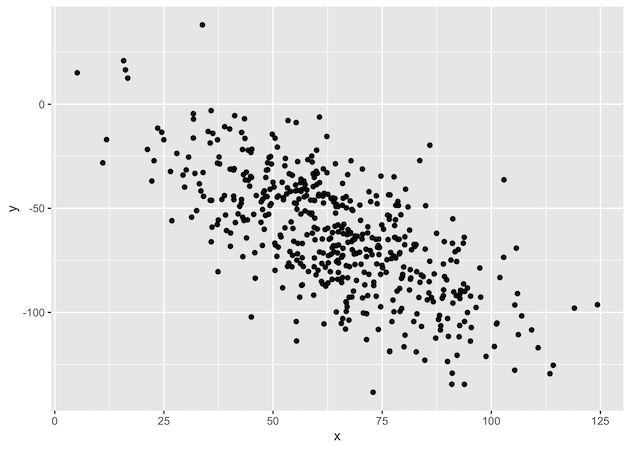
Let us create a simple scatter plot with default grey theme.
df %>%
  ggplot(aes(x=x,y=y)) + geom_point()
df %>%
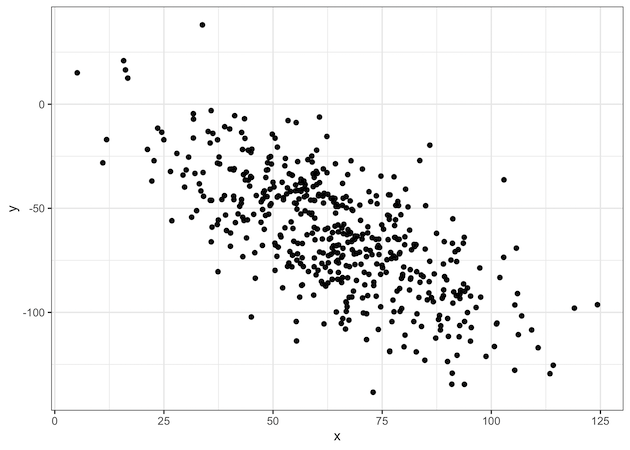
   ggplot(aes(x=x,y=y)) + geom_point()+  theme_bw()
Explore the Complete ggplot2 Guide
35+ tutorials with code: scatterplots, boxplots, themes, annotations, facets, and more—tested and beginner-friendly.
Visit the ggplot2 Hub → No fluff—just code and visuals.